Manage service jobs
Start, finish and get paid for the services customers order.
3 min
Before you start
- You sell services (Settings → Business → What you sell).
- 1
Open your jobs
Go to Services and stay on the first tab. Every service order is a job. Tap To do, Unpaid, Completed, Cancelled or All to filter.
Open this in Nuha Chat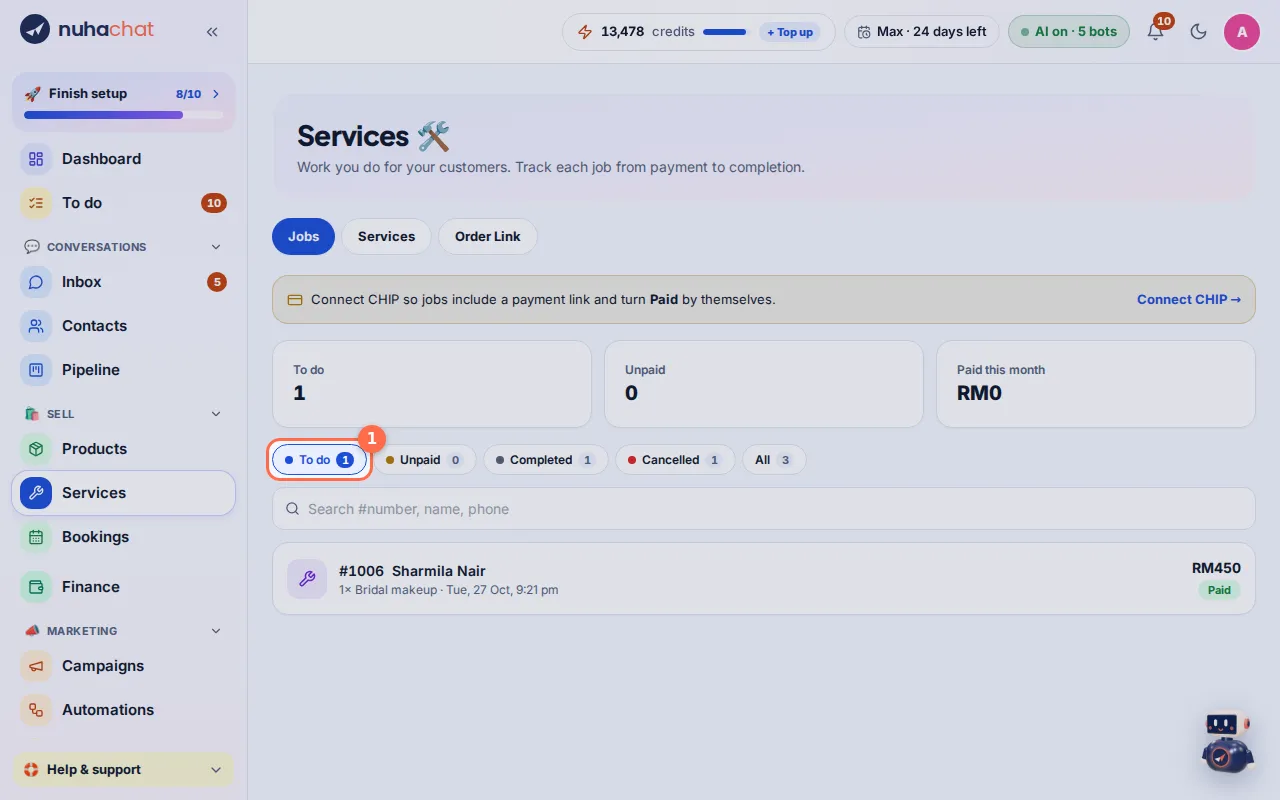
Tap the picture to see it bigger. - 2
Open a job
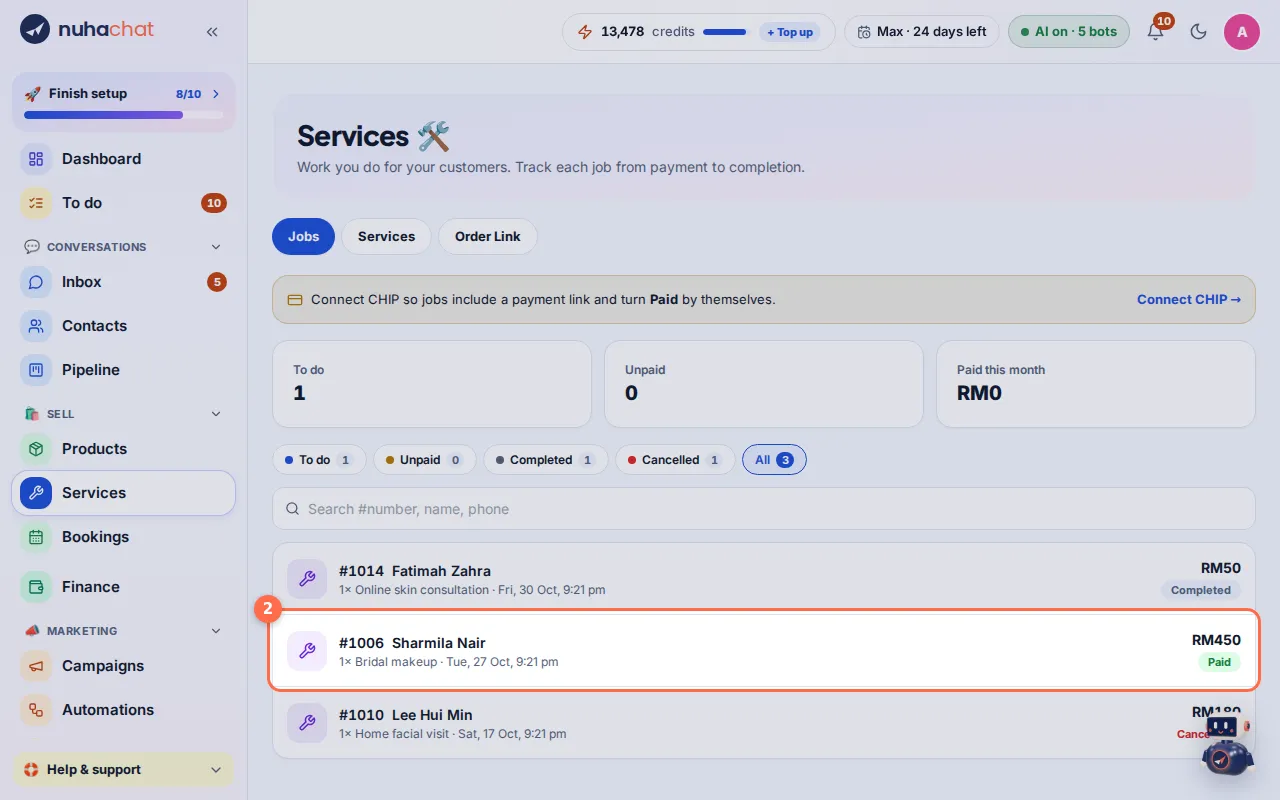
Tap a job to see the customer, the service, the price and how they pay.
Tap the picture to see it bigger. - 3
Start the job
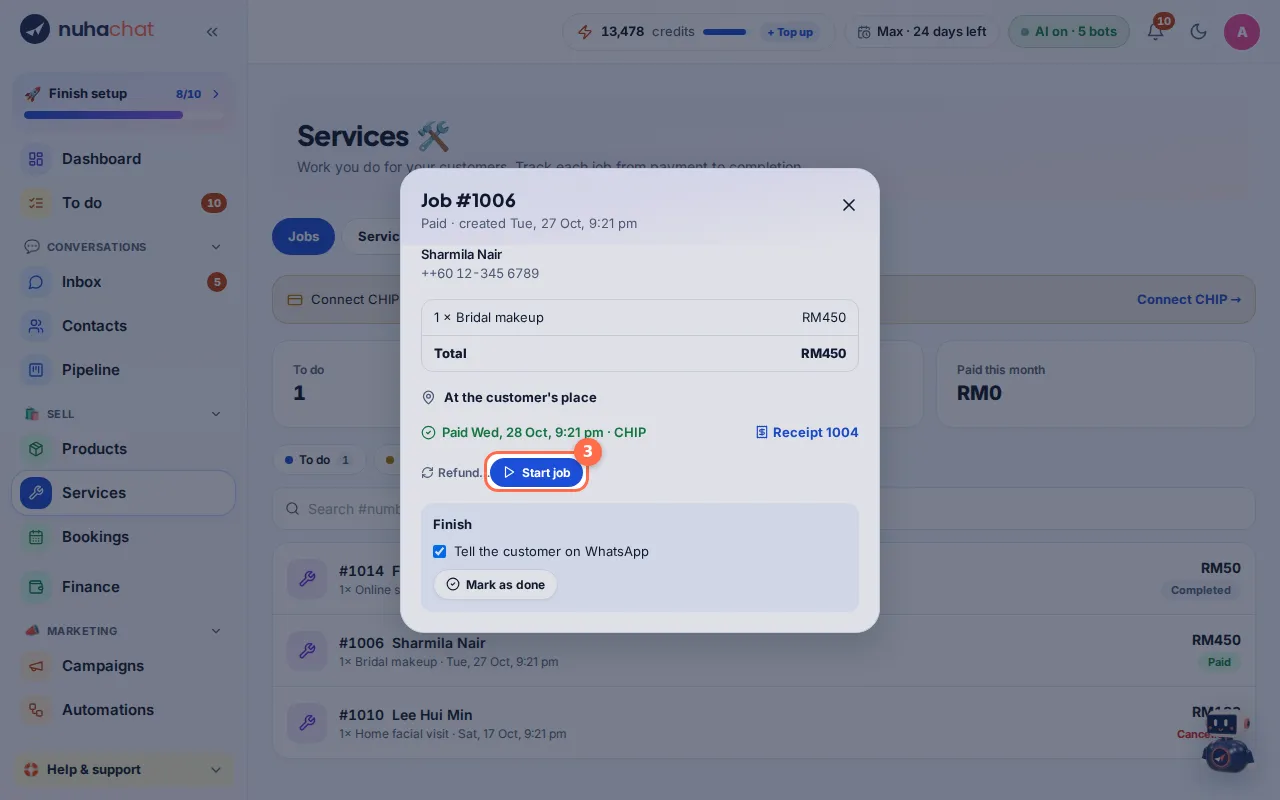
When a paid job begins, tap Start job. Its status becomes In progress.
Tap the picture to see it bigger. - 4
Finish the job
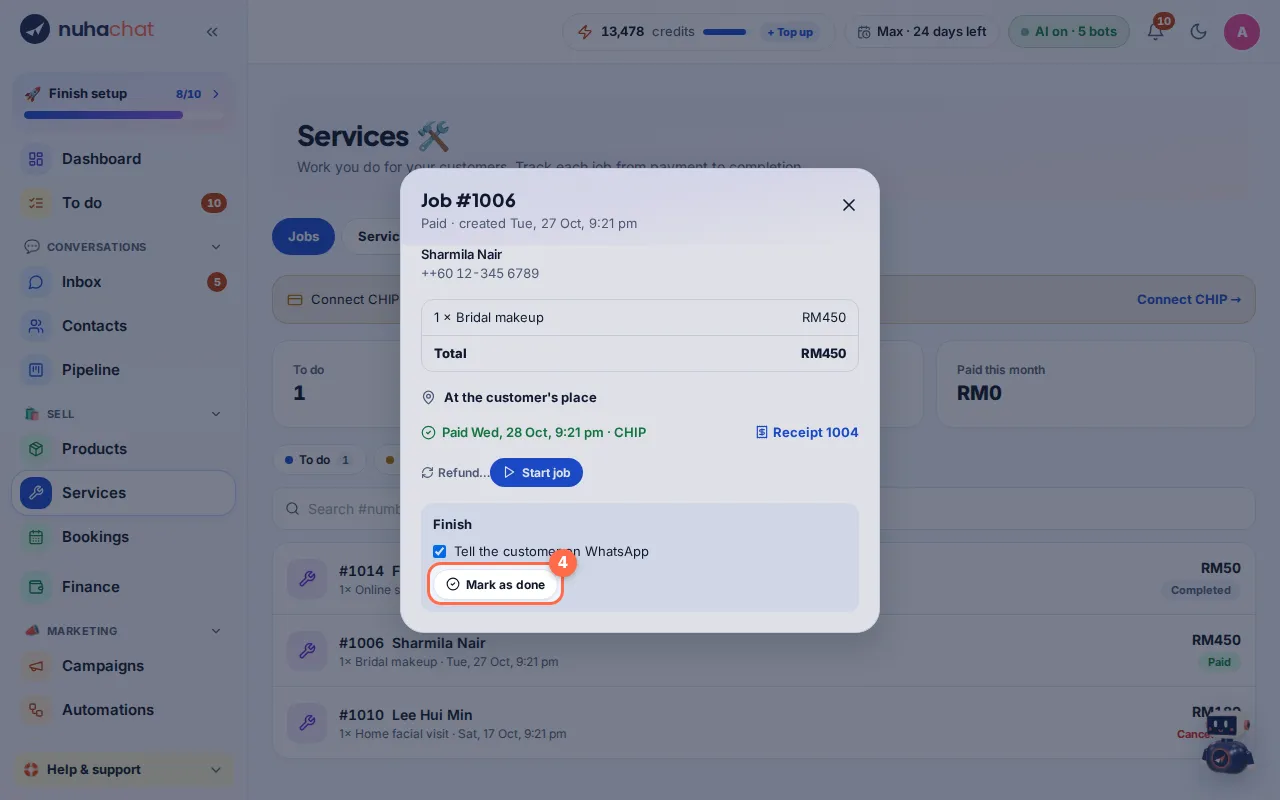
When the work is done, tap Mark as done. Keep Tell the customer on WhatsApp ticked to let them know.
Tap the picture to see it bigger. - 5
Pay after the job
For a service paid after the work, tap Paid RM… · done when you get the money, or Done, not paid yet to send a payment link later. A receipt is sent when it is paid.
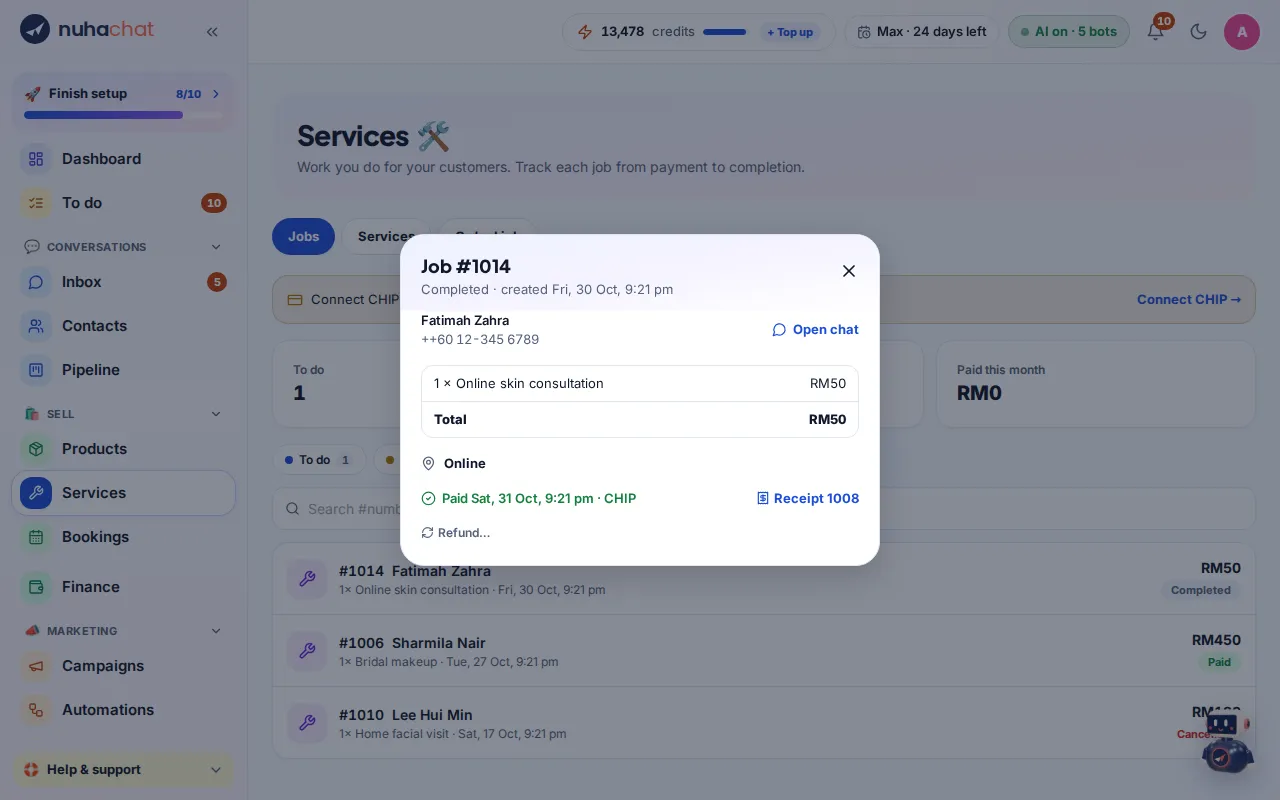
Tap the picture to see it bigger.
Tips
- Choose Pay online now or Pay after the job for each service in Services → Services.
- Nuha can create service orders in the chat too. They show here with the others.