Start a form from a template
Use a ready-made form like Delivery address or Feedback, then change it.
2 min
- 1
Open the templates
Go to Forms and tap the Templates tab. You see forms like Delivery address, Registration, Quote request, Before your appointment, Feedback and Customer survey.
Open this in Nuha Chat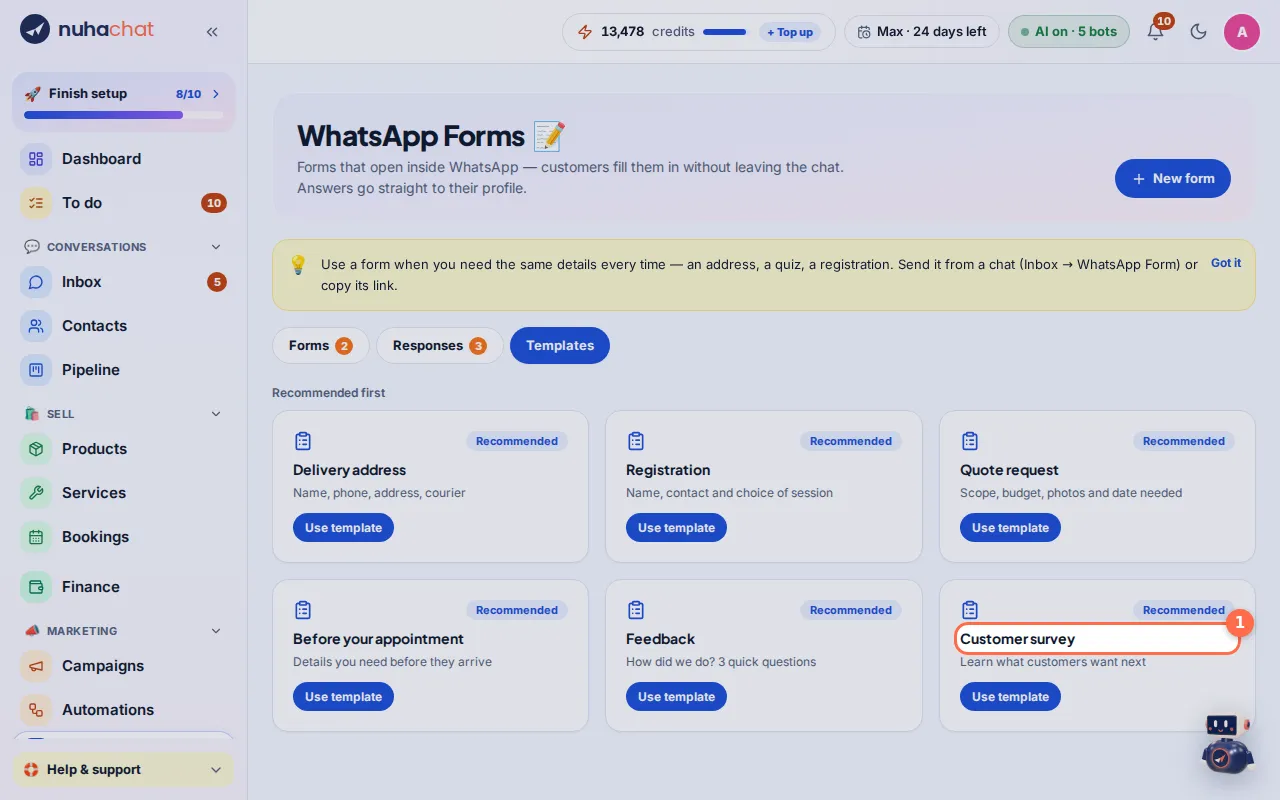
Tap the picture to see it bigger. - 2
Use one
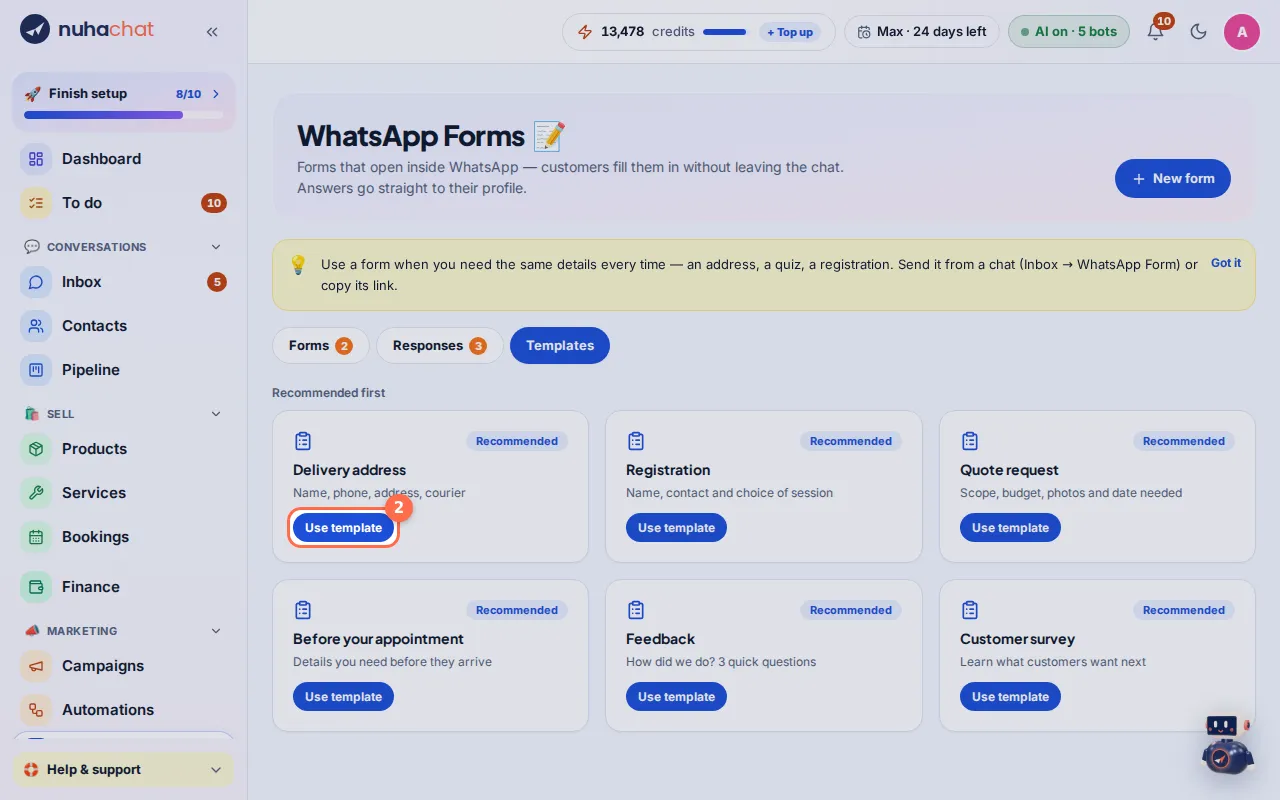
Tap Use template on the form you want. It opens with the questions filled in.
Tap the picture to see it bigger. - 3
Change it
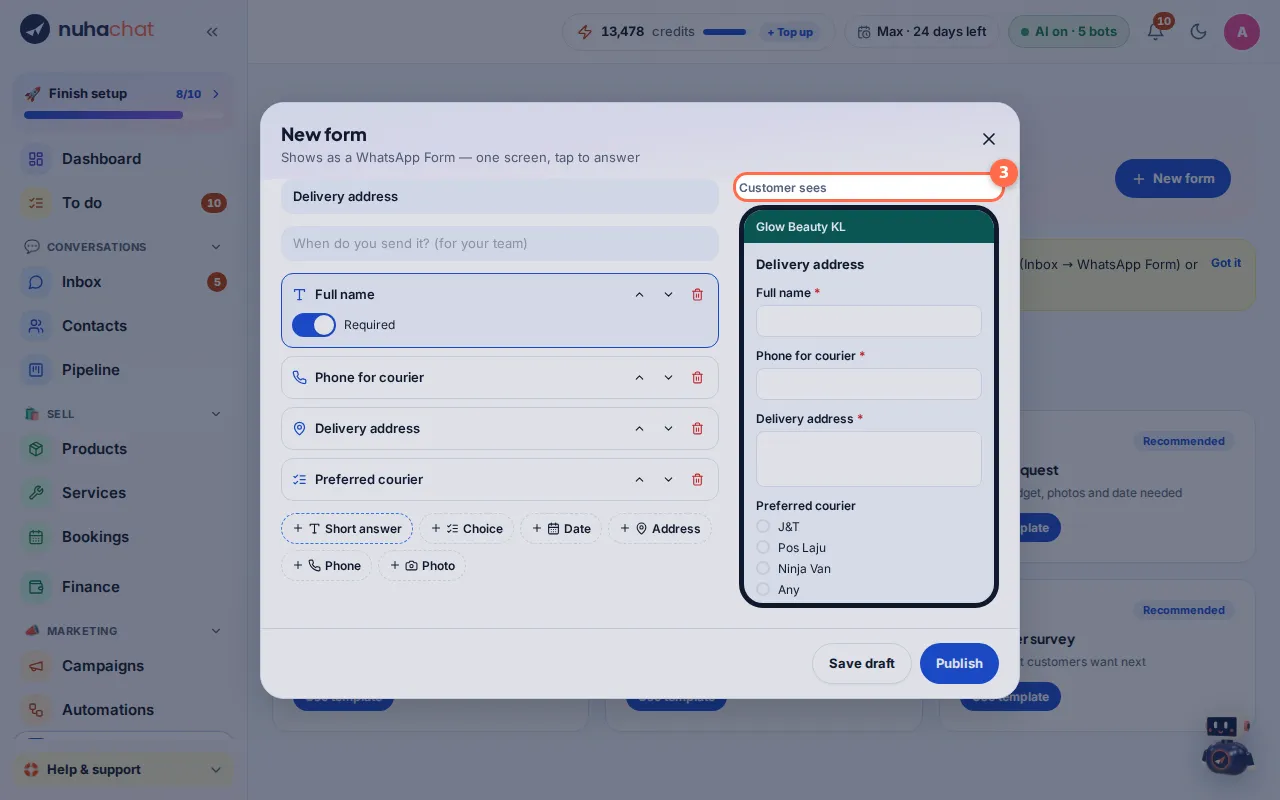
Rename it, add or remove questions, and check the Customer sees preview.
Tap the picture to see it bigger. - 4
Publish
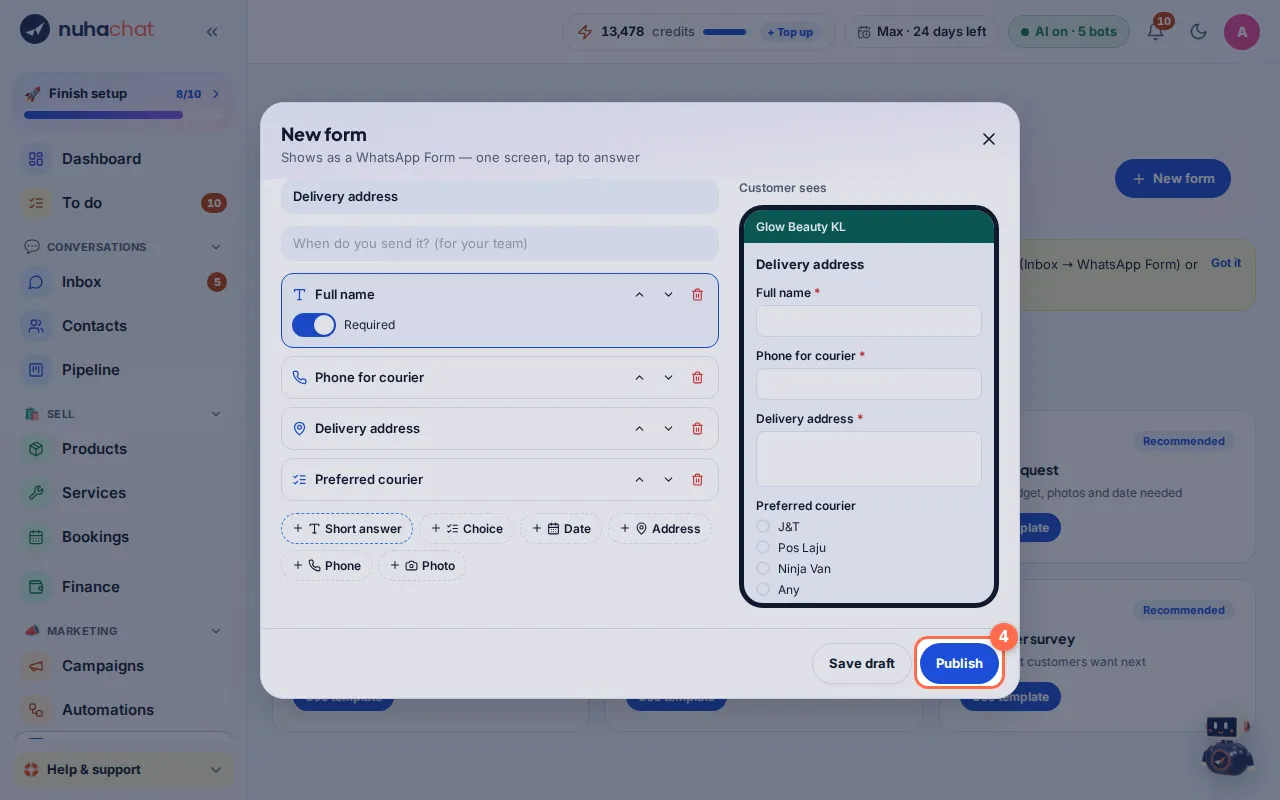
Tap Publish to make it live, or Save draft to finish later.
Tap the picture to see it bigger.