Mark a deal Won or Lost
Record a sale paid outside Nuha, or close a deal with the reason it was lost.
2 min
- 1
Open the List
Go to Pipeline and tap the List tab. Each deal has a stage menu on the right.
Open this in Nuha Chat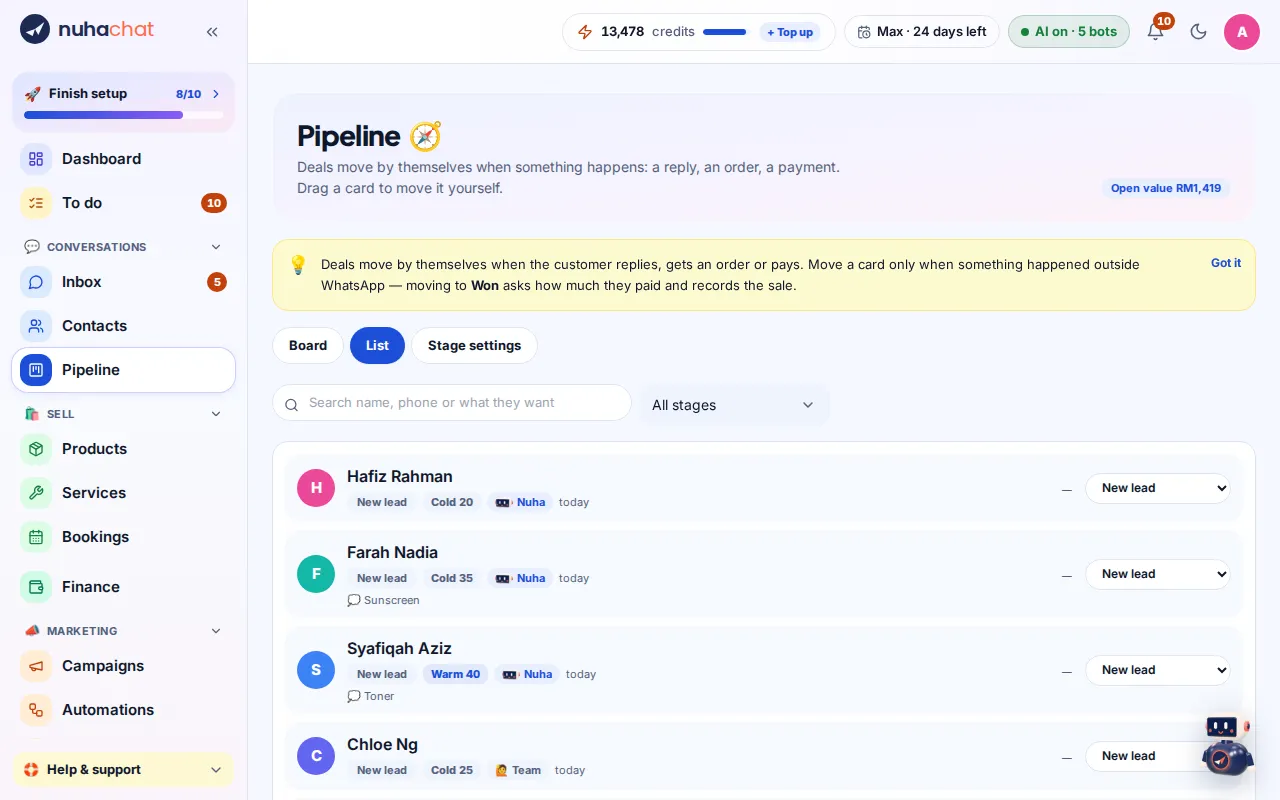
Tap the picture to see it bigger. - 2
Mark Won
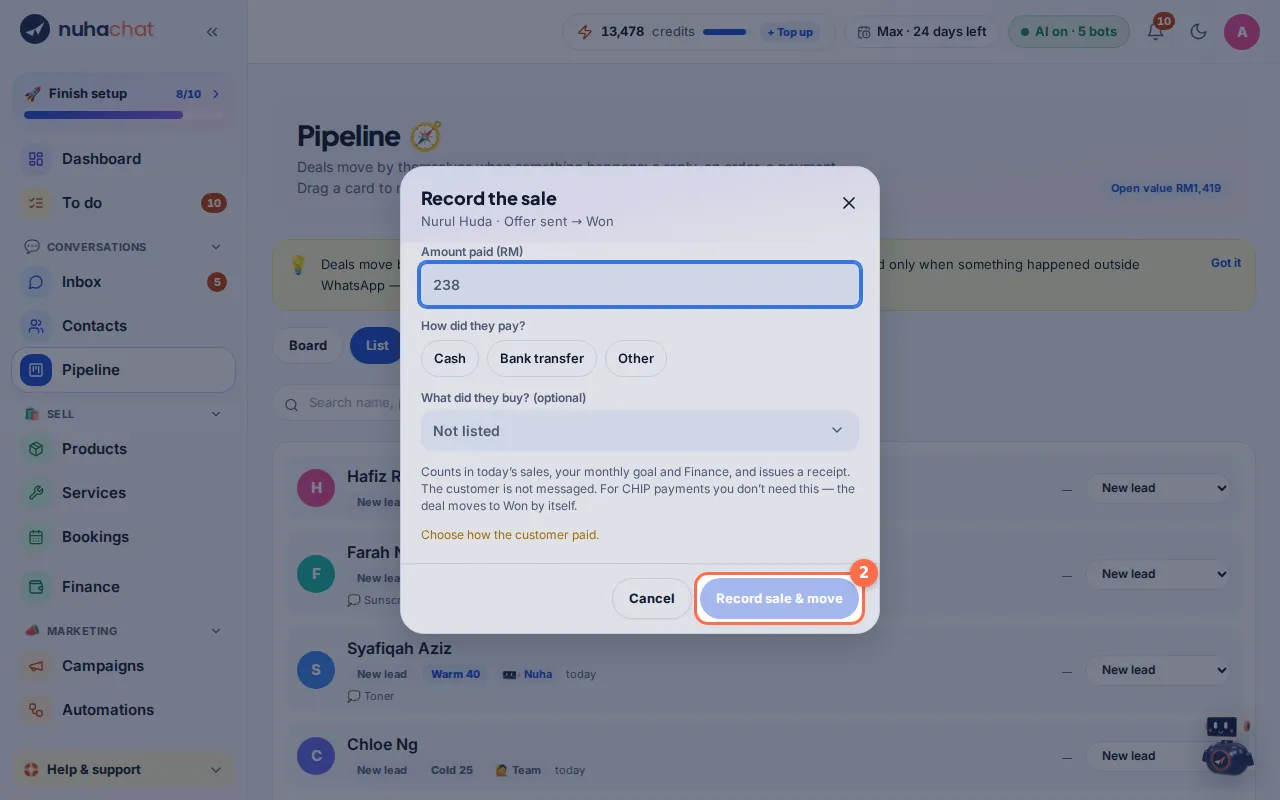
Pick Won in the menu (or drag the card to Won on the board). In Record the sale, type Amount paid (RM), choose How did they pay? and tap Record sale & move. A receipt is made for you.
Tap the picture to see it bigger. - 3
Mark Lost
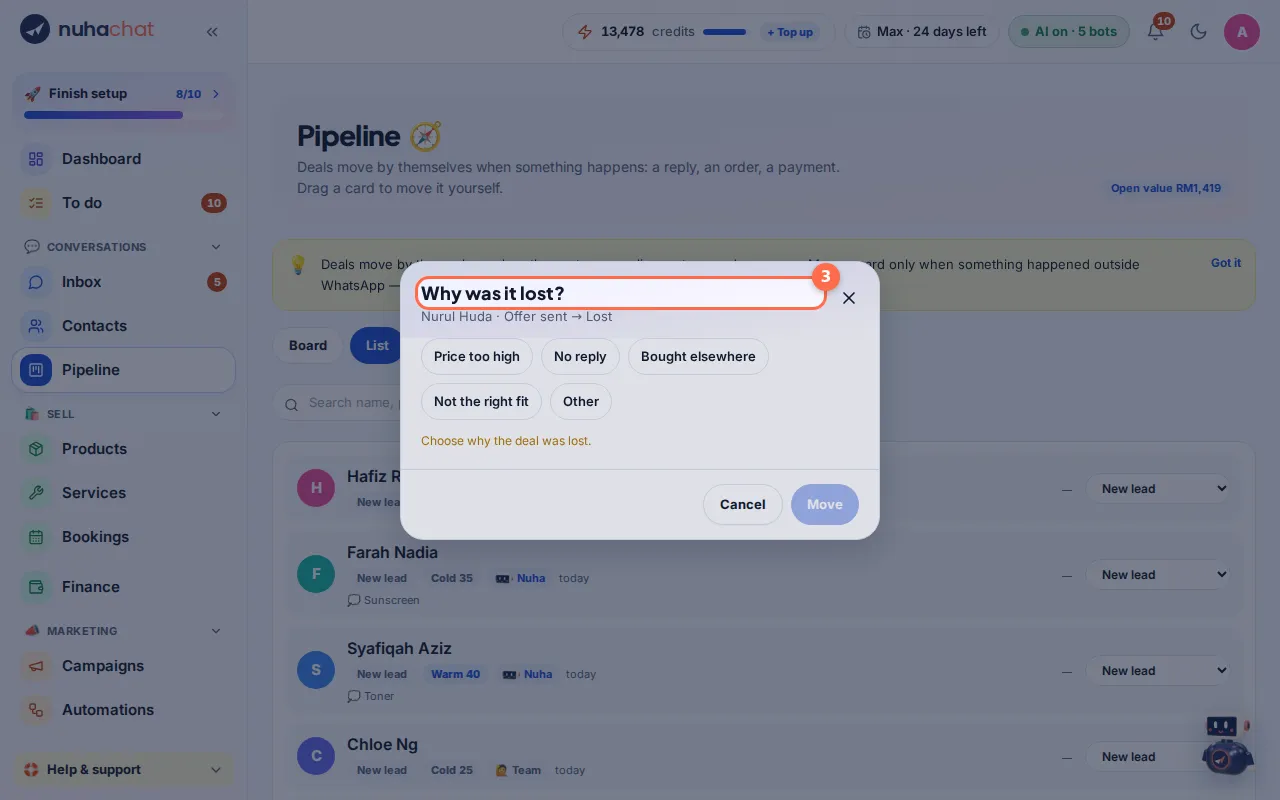
Pick Lost. In Why was it lost? choose Price too high, No reply, Bought elsewhere, Not the right fit or Other, then tap Move.
Tap the picture to see it bigger. - 4
Learn from it
Lost reasons show in Reports → Pipeline, so you can see why deals are lost most often.
Open this in Nuha Chat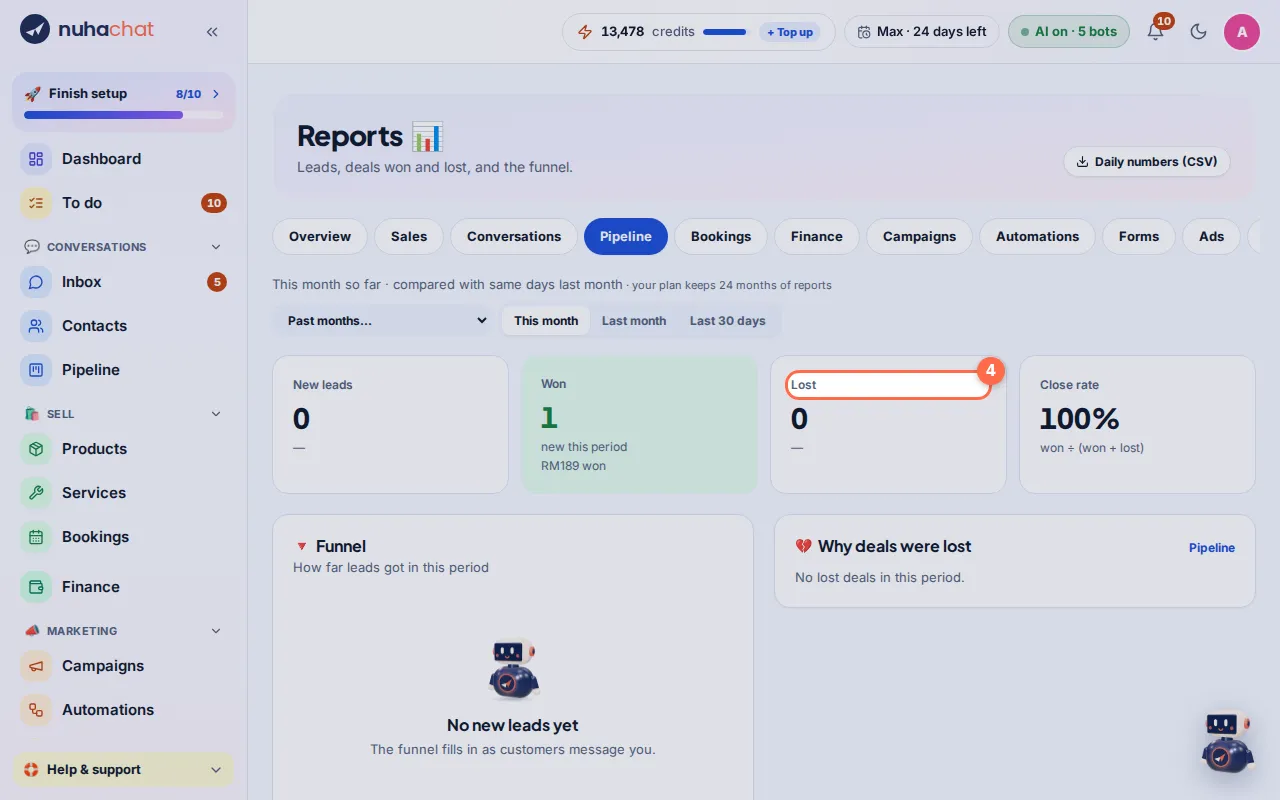
Tap the picture to see it bigger.
Tips
- Deals paid through Nuha move to Won by themselves. Use this for cash or transfer sales you record yourself.