What customers see: receipts, quotations, invoices and forms
The pages your customers open from WhatsApp, and what they can do there.
3 min
- 1
Receipt
After a payment the customer gets a receipt link. It shows RECEIPT, a PAID stamp, the items and Total paid, with your logo. They can tap Print / Save as PDF.
Open this in Nuha Chat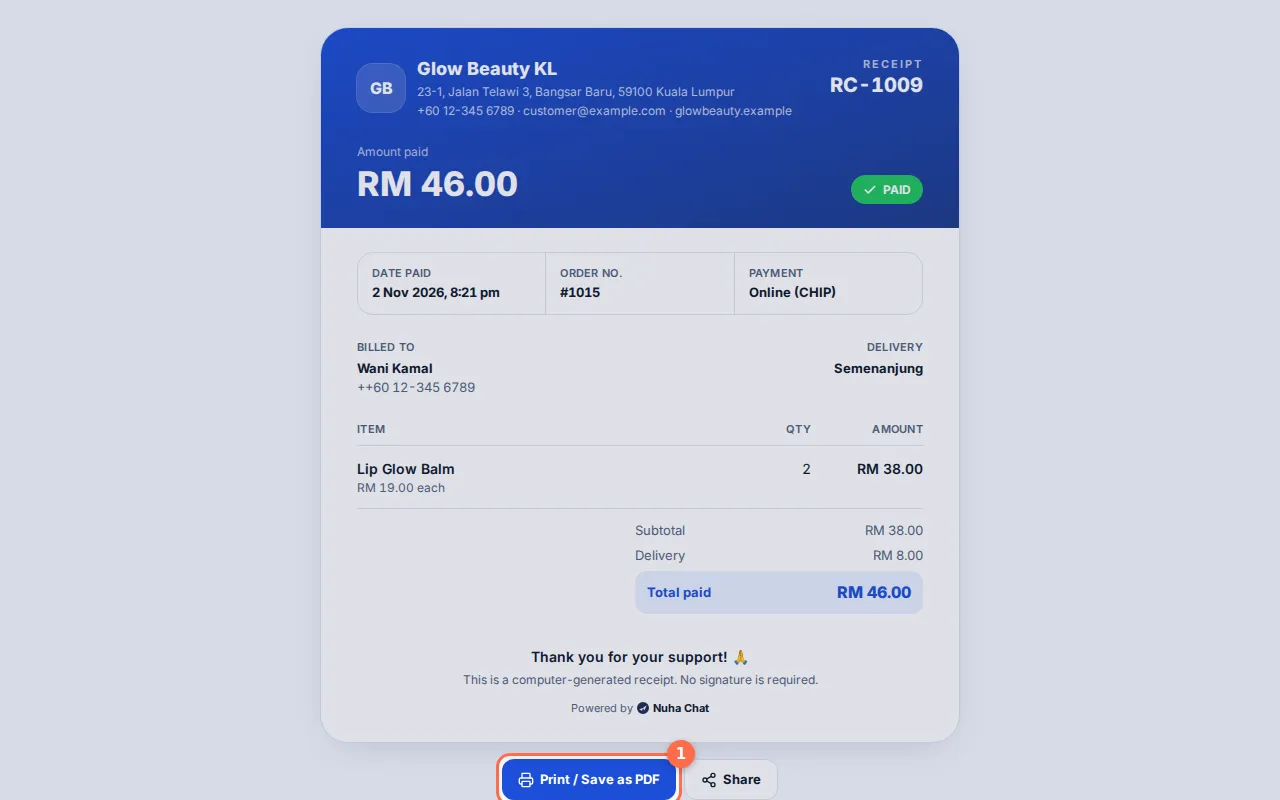
Tap the picture to see it bigger. - 2
Quotation
A quotation link shows QUOTATION, the items, any discount and the Total. The customer taps Accept quotation or Decline. You see the answer in Finance and To do.
Open this in Nuha Chat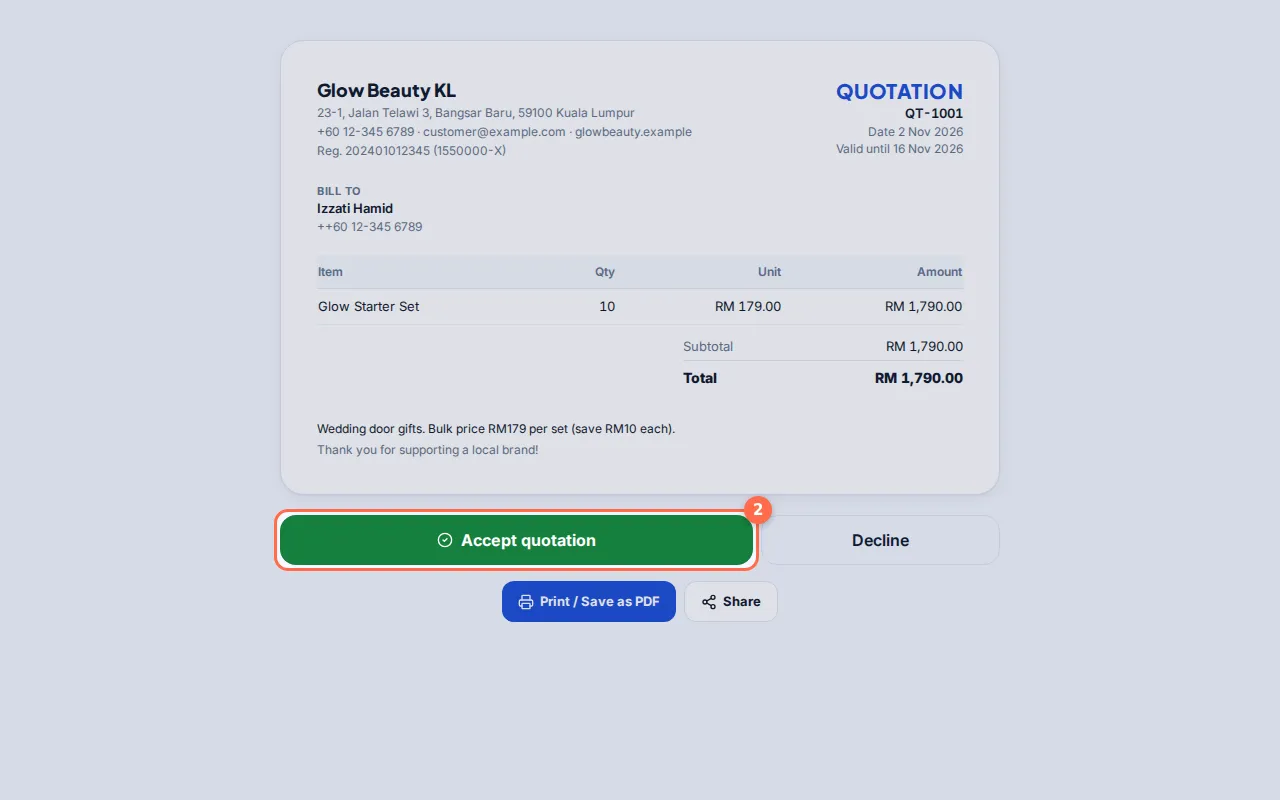
Tap the picture to see it bigger. - 3
Invoice
An invoice link shows INVOICE, the due date and the Total. If you use CHIP, it has a Pay RM… now button. When it is paid, it shows PAID, and OVERDUE after the due date.
Open this in Nuha Chat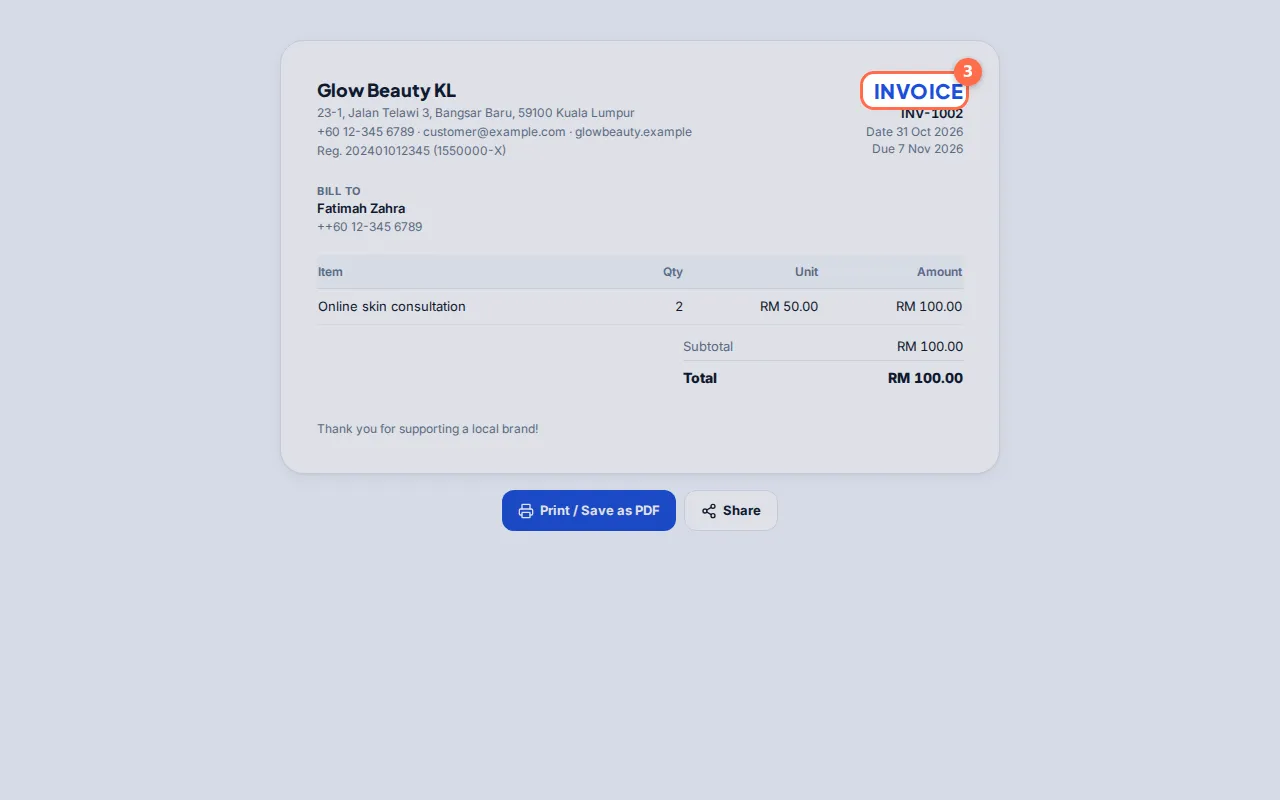
Tap the picture to see it bigger. - 4
WhatsApp Form by link
A form link opens your questions on a web page. The customer fills them in and taps Submit, then sees Thank you!. The answers land in Forms → Responses.
Open this in Nuha Chat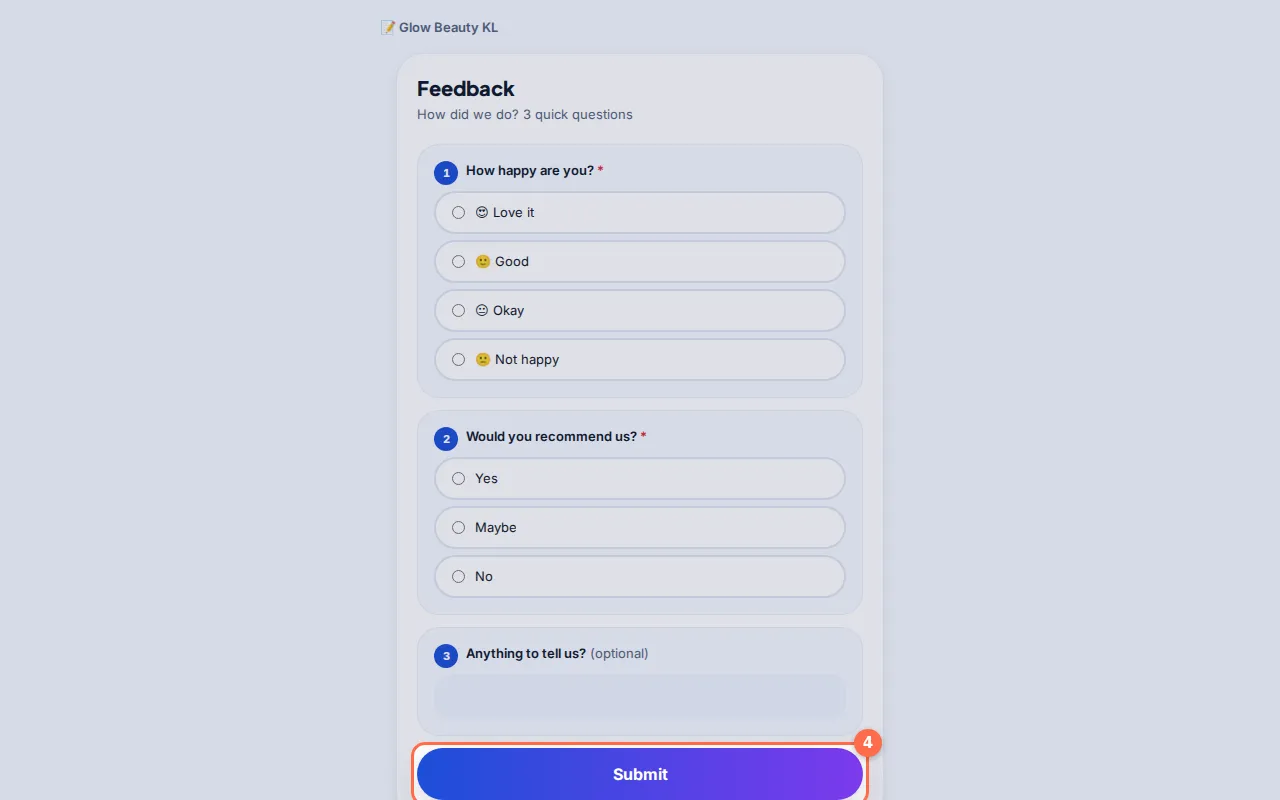
Tap the picture to see it bigger.
Tips
- Every page shows your business name and logo from Settings → Business, and a small "Powered by Nuha Chat".